June 14, 2019 NHTSA CAMPAIGN NUMBER: 19V461000
Air Bags May Not Deploy Properly
A deactivated air bag increases the risk of injury. An inadvertent deployment of the air bag increases the risk of a crash.
NHTSA Campaign Number: 19V461
Manufacturer Maserati North America, Inc.
Components AIR BAGS
Potential Number of Units Affected 739
Summary
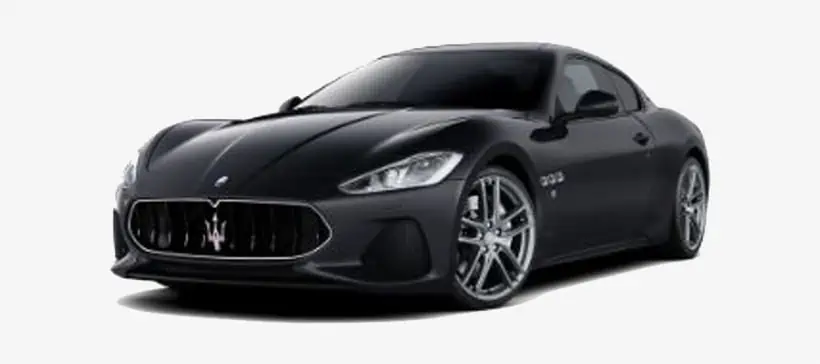
Maserati North America, Inc. (Maserati) is recalling certain 2015-2018 Granturismo and 2016-2018 Granturismo Convertible vehicles. The air bag Electronic Control Unit (ECU) may have a defective power supply capacitor that can cause a deactivation or inadvertent deployment of the air bag.
Remedy
Maserati will notify owners, and dealers will replace the air bag ECU, free of charge. The recall is expected to begin July 30, 2019. Owners may contact Maserati customer service at 1-877-696-2737. Maserati’s number for this recall is 386.
Notes
Owners may also contact the National Highway Traffic Safety Administration Vehicle Safety Hotline at 1-888-327-4236 (TTY 1-800-424-9153), or go to www.safercar.gov.
Check if your Maserati has a Recall
Date: July 15, 2019
Bulletin Number: MAS001916 – MTB -1912 –
Recall 386 – Air Bag Control Module
Replacement_US
Supersedes: N/A
Section: Compliance
Model Type: GranTurismo & GranCabrio (M145)
Model Years: 2015, 2016, 2017 and 2018
Subject: Vehicle Safety Recall Campaign 386, Air Bag Control Module replacement
NOTE: Some vehicles above may have been identified as not involved in this recall and therefore have been excluded from this recall.
NOTE: Before starting this procedure, you MUST read these instructions carefully and completely.
MASERATI SAFETY RECALL NOTIFICATION
PERFORM THE PROCEDURE OUTLINED IN THIS TECHNICAL BULLETIN ON ALL AFFECTED VEHICLES BEFORE CUSTOMER DELIVERY OR THE NEXT TIME THE CAR IS IN THE SHOP FOR MAINTENANCE OR REPAIRS.
Maserati dealers must ensure recalls are completed after having been notified by Maserati North America, Inc. (MNA) that a safety-related defect or noncompliance exists in any motor vehicle or item of replacement equipment in the dealer’s possession at the time of notification. In MNA’s case, this notification would typically be made by the issuance of a recall notification in the form of a Technical Bulletin.
Some of the involved vehicles may be in dealer new vehicle inventory. The National Traffic and Motor Vehicle Safety Act of 1966, as amended (or in the case of Canadian vehicles, Motor Vehicle Safety Act S.C. 1993, as amended), requires you to complete this recall service on these vehicles before retail delivery. This means that dealers cannot legally deliver new motor vehicles or new items of replacement equipment to consumers with an open recall.
Dealers should also consider this requirement to apply to used vehicle inventory and should perform this recall on vehicles in for service. This also pertains to vehicles in the Certified Pre-Owned program, and to items of replacement equipment.
Finally, MNA dealers should not sell or use parts that have been recalled by MNA. Please follow the specific instructions provided by MNA on the return or disposition of the parts.
Maserati S.p.A. and MNA have determined that the above described vehicles were manufactured with an Air Bag Control Module (Fig.1) that may contain a voltage supply capacitor that was improperly manufactured. If the voltage supply capacitor fails, the air bag may inadvertently deploy or not deploy at all.
Out of an abundance of caution, Maserati has decided to initiate this Voluntary Safety Recall #386 to replace the Air Bag Control Module with a new Module.
This repair procedure will be performed free of charge to the customer.
Which Vehicles Are Affected
Please refer to the VIN List in ModisCS+ for the affected vehicles in the U.S. and Canada.
Vehicle Remedy Information
- Check that the vehicle is included in this Recall Campaign, and that the repair has not been previously performed.
- Replace the Air Bag Control Module as shown in:
Attachment “A” for Model Years 2015, 2016 and 2017 vehicles
Attachment “B” for Model Year 2018 vehicles
- Initialization Procedures for New Airbag Control Modules.
Attachment “C” for all vehicle involved in this Safety Recall
- The recall procedure is now complete.
Parts Needed For The Recall
For this Recall Campaign the Air Bag Control Module must be ordered with a “PHD” from the Maserati Parts Dept.
P/N: 319505 GranCabrio (Convertible vehicles)
P/N: 304783 GranTurismo (Coup vehicles)
OPERATING PROCEDURES
- Disconnect the battery.
NOTE: Before disconnecting the battery, lower the front and rear door windows a few centimeters then set the “KIN” to the “OFF” position.
- For 2015, 2016 and 2017 Model year vehicles, follow the procedures in Attachment “A” and Attachment “C”.
For Model Year 2018 vehicles, follow the procedures in Attachment “B” and Attachment “C”.
Entering A Warranty Claim
Warranty Information:
- Campaign Number……………………………………..386
- Cost Code……………………………………………….24
- Defect Code…………………………………………….063
- Component code……………………………………….7.00.003
- Labor Operation for Model Year 18………………….7.00.003.9 (3.75h)
- Labor Operation for Model Years 16 and 17.………7.00.003.1 (1.65h)
- Component Part Number………………………………See parts section
Attachment “A”
2015, 2016 and 2017 Model Year vehicles
- Disconnect the battery.
- Remove the central fixing plate on the center console as shown below and in Section 09.51.084 of the Workshop Manual.
- Remove the two pressure-fitted side panels (Fig.1 and Fig.2).
- Lift and remove the rubber base from both cup holders (Fig.3) and remove the 2 fastening screws (Fig.4)
- Remove the fastening screw above the power outlet (Fig.5).
- Working from the left side, push the gear selector display upward, unhook the electrical connector, remove the display unit, then remove the screw below it that secures the center console to the mounting bracket (Fig.6).
- Pull the knob off the gearshift lever (Fig.7)
- Lift the front panel on the center console, remove the electrical connectors then remove the panel (Fig.8).
- Remove the center console side covering on both sides as shown below (Fig.9), and in Section 09.51.000 2 of the Workshop Manual.
- With the appropriate tools, remove the radio (Fig.10.
- Remove (pull) the aesthetic moulding from the center of the dashboard (Fig.11).
- Remove the screws from the center of the dashboard (Fig.12).
- Open the glove compartment and remove the upper securing screws (Fig.13).
- Remove the glove compartment side screws (Fig.14).
- Lower the glove compartment and remove the housing side screws (Fig.15).
- Remove the lower central dashboard screws (Fig.16).
- Remove the 2 screws inside the radio compartment (Fig.17) then gently, pull back the central dashboard trim panel (Fig.18).
- While supporting the central dashboard trim panel, disconnect the wire connecters (Fig.19 and Fig.20) and then remove the panel.
- Working through area’s A ,B and C (Fig.21), unhook the electrical connectors, unscrew the fastening nuts and remove the AIRBAG ECU (Fig.22).
- Install the new airbag control module. Torque the securing fasteners to 10 N-m (7.4ft-lbf).
- Reinstall all of the parts you have removed following the removal procedures in reverse order.
- Perform a vehicle Proxy Alignment for the new Airbag ECU.
- Perform the Airbag Control Module Initialization Procedure as described in Attachment “C”.
Attachment “B”
2018 Model Year vehicles
- Disconnect the battery.
- Remove the center console as shown below and in Section 09.51.001 of the Workshop Manual.
- Remove the rear seat cushions (bottoms) by removing the 2 securing bolts on each side (Fig.1) and then lifting up and out with the cushion (Fig.2).
- Remove the rear trim panel caps (Fig.3), remove the securing screws and then remove the trim panel (Fig.4).
- Remove the screws from the cup holder trim panel (Fig.5)
- Remove the screws located on the front of the trim panel (Fig.6)
- Remove the cover plate (Fig.7) on the rear of the trim panel. Remove the screws from underneath and from the bottom of the cup holders (Fig.8)
- Unhook the wire connecter (1) and remove the screws (2) from the shifter (Fig.9). Move the lever over to the side (Fig.10).
- With the front seats fully forward, remove the center console caps and securing screws at the rear (Fig.11)
- Move the seats forward and remove the caps and securing screws from the center of the console (Fig.12).
- Remove the caps and screws then remove the carpet side panels (Fig.13).
- Disconnect the 2 wire connecters (Fig.14) then remove the center console (Fig.15)
- Using a Teflon wedge, carefully remove the trim from the bottom of the MTC (Fig.16) and then remove the securing bolts (Fig.17)
- Pull out the MTC (Fig.18) and disconnect the wire connecters (Fig.19)
- Remove the a/c control panel (Fig.20) and the wire connecter (Fig.21)
- Remove (pull) the aesthetic moulding from the center of the dashboard (Fig.21).
- Open the glove box and remove the securing screws (Fig.22).
- Remove the glove box frame screws (Fig.23).
- Remove the central dash trim panel (Fig.24)
- Remove the MTC mounting frame (Fig.25) and remove the bracket (Fig.26).
- Remove the central dash lower support bracket (Fig.27)
- Slide the bracket mount over to the side to gain access to the air bag ecu mounting nuts as shown in Fig.28.
- Remove the lower r/s mounting bolt (Fig.29).
- Slide the r/s air duct union down away from the housing (Fig.30).
- Slide the l/s air duct union down away from the housing (Fig.31).
- Unlock the safety locks and disconnect the wire connecters from the air bag control unit (Fig.32).
- Remove the lower mounting screws from the air bag control unit (Fig.33).
- Remove the upper mounting nuts from the air bag control unit (Fig.33).
- Install the new air bag control unit by following the instructions in reverse order.
- Tighten the fastening screws to a torque of 10 N⋅m (7.4 ft⋅lbf)
- Proceed to the Initialization procedures in Attachment “C” of this bulletin.
Attachment “C”
Initialization Procedures for Installing a New Airbag Module
All Vehicles Involved in this Recall
IMPORTANT NOTE: A Proxy Alignment must be performed before beginning the below procedures.
- When replacing the Airbag Node, it is necessary to carry out the initialization procedure listed below after performing a Proxy Alignment.
- To perform the initialization procedure it is necessary to disconnect the driver side, passenger side and Side Airbag electric connections located under the front seats.
- Remove the steering wheel airbag using special tool 900027310. There are two holes behind the steering wheel. Unclip the airbag using the special tool and then disconnect the electrical connecters from the airbag (Fig.1).
- Disconnect the electric connector of the passenger side Airbag module (Fig.2).
- Disconnect the electrical connections of the driver and passenger – Side Air Bag Modules located under the front seats (Fig.3).
- Using the MDEVO, select the vehicle type; in the “CLASS” menu, select “SAFETY” and in the “SYSTEM” menu, select “NAB -AIR BAG NODE – TRW”.
- Select “CYCLE” in the “TEST” menu.
- The initialization cycle prompts you to check whether the wiring Compliance label is present or not, and then shows the initial conditions to which the vehicle must be at to continue. Press the skip test button at the bottom of the screen.
- The diagnostic equipment performs the first test on the driver and passenger side airbag. During this phase, the diagnostic equipment must detect faults with both airbags since the connectors are disconnected.
- Then you are prompted to connect the two connectors of the driver side airbag leaving the Secondary Lock open as shown in Fig.4.
- The system will now test the two lines of the driver side airbag.
- If the test of line 1 is successful, you will be prompted to close the Yellow Line 1 Secondary Lock (the Yellow one in Fig’s.4 and 5).
- The same test will be performed on line 2, after which it will be necessary to close the Green Secondary Lock (the Green one in Fig’s.4 and 5).
- After the driver side Airbag diagnosis, reinstall the airbag onto the steering wheel.
- The system will automatically move to the passenger airbag and it will prompt you to connect the dummy connector, Special Tool p/n: 900028133 (Fig.6) to the passenger airbag wire connector (Fig.7).
- Once the test on line 1 of the passenger side airbag has been performed, the next screen will prompt you to remove the dummy connector p/n: 900028133 to continue testing Line 2 of the passenger side airbag.
- Once diagnosis is completed, reconnect the passenger side airbag wiring connector. The system will then automatically start to diagnose the two side airbags: first the driver side and then the passenger side.
- Next, the system checks for errors concerning the safety belts and the remaining modules.
- The next screen shows the status of the detected buckle switches: red for not acceptable, green for acceptable status.
- The check sequence starts from the driver’s front side safety belt and then continues with the passenger’s side safety belt. During these phases the system will prompt you to fasten the belts to the relevant buckles.
- After the front belts, the system will try to perform the same diagnosis on the rear pre-tensioner modules. There are no rear pre-tensioners so press the “Skip Test” button on the bottom of the screen.
- Next, the system checks the passenger side airbag occupant detection system and the airbag system failure warning light status.
- When the display shows the message “ENDED CYCLE”, the initialization procedure has been completed.
- Restore the vehicle to its original condition by installing the previously removed components and reattaching all of the airbag connections.
- View and print the report saved by the diagnostic equipment. This report is saved in the dedicated section called “DIAGNOSIS REPORT LIST” which includes all diagnosis operations performed on the vehicle, categorized by Date and Type of diagnosis on the vehicles control units.
IMPORTANT SAFETY RECALL INFORMATION
July 22, 2019
NHTSA Recall#: 19V461
John Q. Smith
12345 Main Street
Anytown, USA 55555
This Notice Applies To Your Vehicle, Vehicle Identification Number: 99999999999999999
Dear Maserati Customer:
This notification is sent to you in accordance with the requirements of the National Traffic and Motor Vehicle Safety Act.
Maserati S.p.A. and Maserati North America, Inc. (MNA), have decided that a defect that relates to motor vehicle safety exists in 2015-2018 Model Year Maserati Granturismo vehicles and 2016-2018 Model Year Maserati Granturismo Convertible vehicles.
Maserati S.p.A. and MNA have determined that the above-described vehicles were manufactured with an airbag electronic control unit (ECU) that may have a defective power supply capacitor. The airbag ECU may inhibit a proper airbag deployment in a crash or command an inadvertent deployment of the airbag or seatbelt pretensioners. An inhibited airbag deployment in a crash or an inadvertent deployment of the airbag or seatbelt pretensioners may result in an increased risk of occupant injury.
Your Maserati Dealer will replace the airbag ECU on the affected vehicles, free of charge. Since your vehicle is among those that may be affected by the above condition, we ask you to contact any Authorized Maserati Dealer in order to arrange for this recall action to be performed to your vehicle. The repair will take approximately 2.5 hours to complete. Please prepare to leave your vehicle with the dealership to allow the dealer to complete your repairs. Your Authorized Maserati Dealers have the necessary instructions and components to remedy your vehicle.
If the dealer fails or is unable to make the necessary repairs free of charge within a reasonable time, or if you have any problem obtaining the needed repair, you should inform the national headquarters of Maserati North America, Inc., at:
Maserati North America, Inc.
1 Chrysler Drive
Auburn Hills, MI 48326
(877) 696-2737 (Customer Care)
If you believe that Maserati has failed to remedy the defect described in this letter free of charge to you and within a reasonable time, you may submit a complaint to the
Administrator, National Highway Traffic Safety Administration U.S. Department of Transportation, 1200 New Jersey Avenue, S.E., Washington DC 20590; or call the toll- free Vehicle Safety Hotline at 1-888-327-4236 (TTY: 1-800-424-9153), or go to https://www.safercar.gov.
Federal regulation requires that any vehicle lessor receiving this recall notice must forward a copy of this notice to the lessee within ten working days. If you no longer own this vehicle or your address has changed, please complete the enclosed prepaid yellow card and return it to Maserati North America, Inc.
We apologize for any inconvenience this may cause you.
Sincerely,
Maserati Vehicle Safety and Regulatory Compliance
IMPORTANT SAFETY RECALL INFORMATION
July 22, 2019
NHTSA Recall#: 19V461
Dear Maserati Dealer:
This notification is sent to you in accordance with the requirements of the National Traffic and Motor Vehicle Safety Act.
Maserati S.p.A. and Maserati North America, Inc. (MNA), have decided that a defect that relates to motor vehicle safety exists in 2015-2018 Model Year Maserati Granturismo vehicles and 2016-2018 Model Year Maserati Granturismo Convertible vehicles.
Maserati S.p.A. and MNA have determined that the above-described vehicles were manufactured with an airbag electronic control unit (ECU) that may have a defective power supply capacitor. The airbag ECU may inhibit a proper airbag deployment in a crash or command an inadvertent deployment. An inhibited airbag deployment in a crash or an inadvertent deployment may result in an increased risk of occupant injury.
The remedy is to replace the airbag ECU on the affected vehicles. The remedy will be performed free of charge to the vehicle owner. We will, of course, reimburse you for the labor necessary to carry out this recall campaign. The necessary components for this recall are currently available to dealers, and owners will be directed to call their dealers for repairs.
Maserati dealers must ensure safety recalls are completed after having been notified by MNA that a safety-related defect or noncompliance exists in any motor vehicle or item of replacement equipment in the dealer’s possession at the time of notification. In MNA’s case, this notification would typically be made by the issuance of a safety recall notification in the form of a Technical Bulletin.
Under the National Traffic and Motor Vehicle Safety Act of 1966, as amended, if a safety recall campaign is announced by MNA, dealers must ensure that all recalls on new vehicles and new items of replacement equipment are completed BEFORE delivery to the consumer. This means that dealers may not legally deliver new motor vehicles or new items of replacement equipment to consumers with an open safety recall.
The Safety Act also prohibits dealers from selling or leasing the motor vehicle or item of replacement equipment, unless and until the open safety recall has been completed BEFORE delivery.
Under the terms of the Certified Pre-Owned (“CPO”) program, CPO vehicles with an open safety recall may not be sold or delivered to the consumer.
Finally, MNA dealers should not sell or use parts that have been recalled by MNA. Please follow the specific instructions provided by MNA on the return or disposition of the parts.
Obviously, if you have any of the affected vehicles in your stock, you must not sell them until you have performed the necessary repairs on the vehicle.
If you have already sold any of the vehicles with the indicated VIN in the enclosed instructions and have not yet sent in the new owner information to MNA, please do so at once so we may notify these owners.
Thank you for your cooperation.
Sincerely,
Maserati Vehicle Safety and Regulatory Compliance
SAFETY RECALL NOTICE
STOP SALE COMMUNICATION
Date: June 21, 2019
| To: | All U.S. Maserati Dealers |
| Subject: | Safety Recall 386 – MY 2015 – MY 2018 Maserati Granturismo vehicles and MY 2016 – MY 2018 Maserati Granturismo Convertible vehicles. |
Effective immediately, the vehicles listed in the attachment must not be delivered to customers. The subject vehicles are included in a safety recall related to an airbag electronic control unit (ECU) that may have a defective power supply capacitor. The airbag ECU may inhibit an airbag deployment or command an inadvertent deployment. An inhibited airbag deployment or an inadvertent deployment may result in an increased risk of occupant injury.
Vehicles in the recall will require replacement of the airbag ECU. Maserati intends to notify owners on or before 07/22/2019 to schedule appointments to have their vehicles fixed.
The remedy for this condition is currently available. Dealers will be notified of the launch of this safety recall by way of established communication methods. This recall is estimated to launch in June 2019.
Please be reminded that it is a violation of Federal law for you to deliver a new motor vehicle covered by this notification under a sale or lease until the defect is remedied. Violation of this requirement by could result in a civil penalty of up to $21,000 per vehicle. You must correct all vehicles in your new vehicle inventory before delivery.
Thank you very much for your support.
Maserati North America Inc.
Technical Operations Team
4 Affected Products
Vehicle
| MASERATI | GRANTURISMO | 2015-2018 |
9 Associated Documents
Defect Notice 573 Report
RCLRPT-19V461-7448.PDF 214.193KB
Manufacturer Notices(to Dealers,etc) – Subject: Safety Recall 386 – MY 2015 – MY 2018 Maserati Granturismo vehicles and MY 2016 – MY 2018 Maserati Granturismo Convertible vehicles.
Recall Acknowledgement
RCAK-19V461-8357.pdf 276.394KB
Manufacturer Notices(to Dealers,etc) – IMPORTANT SAFETY RECALL INFORMATION notification.
RCMN-19V461-3484.pdf 140.079KB
Recall Quarterly Report #3, 2020-1
RCLQRT-19V461-3476.PDF 211.317KB
Remedy Instructions and TSB
RCRIT-19V461-0034.pdf 7916.819KB
ISSUED Owner Notification Letter(Part 577)
RCONL-19V461-3269.pdf 103.204KB
Recall Quarterly Report #1, 2019-3
RCLQRT-19V461-7013.PDF 211.134KB
Recall Quarterly Report #2, 2019-4
RCLQRT-19V461-7140.PDF 211.236KB
Reprogramming
Technical Documentation CD/FlashDrive purchase
To purchase Technical Documentation CD/FlashDrive, please contact any Maserati Dealer.
Diagnostic Tool/Diagnostic Software
To purchase Diagnostic Tool, please contact any Maserati Dealer.
The validity of the diagnostic software is one year, renewable through the section Maserati Diagnosi annual license for Independent Operators (you must be registered and logged in to access)
Training
Maserati S.p.A provides a wide technical training courses catalogue, specific for different Brand and open to everyone: Authorized and Independent Repairers. The training's offer concerns the development of the technical competences typical of the post-sell sector, allowing also to a Independent repairer to plan his own and collaborators professional development.
For further information, please contact us at [email protected]
13. Maserati Diagnosi EVO tool purchasing, use regulation and purchase of licenses Maserati Diagnosi / Maserati Diagnosi EVO
13.1 click here for Maserati Diagnosi EVO purchasing and use regulation.
13.2 click here for Maserati Diagnosi / Maserati Diagnosi EVO purchase of licenses.
13.3 click here 2017 new Help Desk.
14. ECU Software Programming and other operations, Purchasing and Usage.
14.1 According to requirements of R692/R715 on Euro 5 vehicles, Maserati S.p.A provides Independent Operators with two working options.
14.1.1 First option
To use "Maserati Diagnosi / Maserati Diagnosi EVO" tool for Independent Operators, that provides the same functionalities of the "Maserati Diagnosi / Maserati Diagnosi EVO" tool for Official Dealers.
Independent Operator needs:
-
- to purchase "Maserati Diagnosi EVO" tool for Independent Operators
- to purchase "Maserati
-
- to purchase ECU Software Programming Services on demand.
Programming Services are available for purchase singularly or in packages (see site section Purchase Credits).
14.1.2 Second option
To use a generic PC together with a standard VCI interface.
Independent Operator needs:
-
- to purchase the standard VCI interface
-
- to purchase every operation / ECU Software Programming Service on demand.
-
- to connect to TechInfo website
14.1.3 Services for vehicle M139 and M145 can be purchased only one by one (see site section Purchase ECU Programming)
Available services are:
-
- ECU Software Programming (to be executed when replacing the ECU or in case of software update needed). Software Programmable ECU are: ECM, BCM, TCMR, TCMA, IPC, NCP,NIM e PAM.
-
- PROXI Alignment Procedure (to be executed when replacing with spare parts).
-
- KEY Programming Procedure (to be executed in case of purchase of new Key from the official dealer network).
-
- VIN Write Procedure(to be executed when replacing ECM).
14.1.4 Services for vehicle M156 and M157 can be purchased only one by one (see site section Purchase ECU Programming)
Available services are:
-
- ECU Software Programming (to be executed when replacing with spare parts or in case of software update needed). Software Programmable ECU are: ADCM, AFLS, AFLS_M157, AFLS_LED, AFLS_LED_157, ANC, ASCM, BCM, BCM_M157, CVPM, DDM, DMRL, DMRR, EPB, ECM, ECM_V6, ECM_V6D, HVAC, HVACR, LBSS, IPC, MSM, PDM, PLGM, PTS, RFH , RBSS, TCM, TPM, TTM.
-
- VIN Write Procedure(to be executed when replacing ECM).
-
- VC Vehicle Configuration Download Procedure.
-
- EPB Check Procedure.
-
- ORC Replace Procedure.
-
- IPC Replace Procedure.
-
- ECM_V6D Replace Procedure.
-
- ECM_V6D DPF Regeneration Procedure
-
- ECM_V6D First Filling Procedure
-
- AFLS Configuration Procedure.
14.1.5 Prices of ECU Software Programming and other operations.
Due to the different used technologies, the prices of the two options are different.
14.2 Protocols and ECU
14.2.1 When using "Maserati Diagnosi or Maserati Diagnosi EVO" for Independent Operators, the tool automatically manages the programming software protocol choice and activate other operations.
14.2.2 When using generic PC together with a standard VCI interface, for the vehicle M139 and M145 the operator needs to manually select the right protocol (ISO 22900 or SAE J2534).
-
- To use SAJ2534 to program Software into ECM, TCMR e TCMA.
-
- To use ISO22900 to program Software on all ECU and to activate other operations.
14.2.3 When using generic PC together with a standard VCI interface, for the vehicle M156 and M157 the selection of protocols is automatic.
14.2.4 Glossary:
ECM - Engine Control Module
BCM - Body Control Module
TCMR - Transmission Control Module Robotized
TCMA - Transmission Control Module Automatic
IPC – Instrument Panel Cluster
NCP – Capote Control Module
NIM – Imperiale Control Module
PAM - Park assistant Module
VIN - Vehicle Identification Number
Vehicle M156, M157 and M161:
DDM - Drive Door Module / Nodo Porta Guida
PDM - Passenger Door Module / Nodo Porta Passeggero
DMRL - Door Modul Rear Left / Nodo Porta Posteriore Sinistra
DMRR - Door Modul Rear Right / Nodo Porta Posteriore Destra
HVAC - Heating, Ventilation and Air Conditioning / Nodo Clima Anteriore
HVACR - Heating, Ventilation and Air Conditioning Rear / Nodo Clima Posteriore
AFLS - Adaptive Front Lighting System M156 / Nodo Fari Adattativi M156
AFLS_M157 - Adaptive Front Lighting System M157 / Nodo Fari Adattativi M157
AFLS_LED - Adaptive Front Lighting System FULL LED M156 / Nodo Fari Adattativi FULL LED M156
AFLS_LED_157 - Adaptive Front Lighting System FULL LED M157 / Nodo Fari Adattativi FULL LED M157
ADCM - Active Dumpening Control Module / Nodo Sospensioni Attive
EPB - Electronic Parking Brake / Nodo Stazionamento Elettronico
RFH - Radio Frequency Hub / Radio Frequency Hub
MSM - Memory Seat Module / Nodo Memoria Sedili
TCM - Transmission Control Module / Nodo Cambio Automatico
ECM - Engine Control Module V8 / Nodo Controllo Motore V8
ECM_V6 - Engine Control Module V6 gasoline / Nodo Controllo Motore V6 benzina
ECM_V6D - Engine Control Module V6 diesel / Nodo Controllo Motore V6 diesel
BCM - Body Control Module M156 / Nodo Body Computer M156
BCM_M157 - Body Control Module M157 / Nodo Body Computer M157
IPC - Instrument Panel Cluster / Nodo Quadro di Bordo
ORC - Occupant Restraint Controller / Nodo Air Bag
ANC - Active Noise Control / Controllo Rumorosità Attivo
TTM - Trailer Tow Module / Modulo Gancio Traino
LBSS - Left Blind Spot Sensor / Sensore Punto Cieco Sinistro
RBSS - Right Blind Spot Sensor / Sensore Punto Cieco Destra
PLGM - Power Lift Gate Module / Modulo Portellone Elettrico Posteriore
CVPM - Central Vision Processing Module / Modulo Centrale Elaborazione Video
ASCM - Air Suspension Control Module / Modulo controllo sospensioni pneumatiche
PTS - Parktronics System / Sistema Parktronics
TPM - Tyre Pressure Module / Modulo monitoraggio pressione pneumatici
VC - Vehicle Configuration / Configurazione Vettura
VIN - Vehicle Identification Number

- J2534 Pass-Thru Programmer: TOPDON RLink J2534 is an advanced diagnostic and reprogramming tool that support all J2534 protocols, as well as D-PDU, CAN-FD and DoIP, ensuring compatibility with a wide range of modern vehicles. It offers extensive versatility with support for over 18 major automotive brands, including Chrysler, Ford, GM, Nissan, Toyota, Honda, Subaru, Land Rover/Jaguar, Volvo, Wuling, Volkswagen/Audi, Mercedes-Benz, and BMW. NOTE: Not compatible with Ford IDS diagnostic software
- All-in-One OEM Diagnostics: This J2534 ECU programming tool elevates your automotive repair capabilities to new heights by delivering complete OEM diagnosis. Boasting comprehensive full-system diagnostics, intuitive repair guides, advanced ECU programming and coding, common reset services, a vast library of repair information and more, this all-in-one solution empowers technicians to effortlessly tackle complex vehicle issues with ease. *Not compatible with 24V vehicles
- Proven Performance You Can Trust: Backed by over 10000 real vehicle tests and benefit from a wealth of practical experience, this OEM reprogramming tool guarantees stable and exceptional performance. Supported by TOPDON's dedicated technical experts with in-depth knowledge of both auto repair and J2534 Pass-Thru programming, the RLink J2534 provides prompt and professional assistance, ensuring a smooth setup and reliable compatibility
- Integrated Excellence, Always Up-to-Date: Featuring the exclusive RLink Platform to provide a streamlined experience with one-click driver installation and management, ensuring flawless integration with your OE software, maintaining the original performance quality. The built-in operation guide makes mastering OE software quick and easy, so you can get started right away. Plus, with lifetime free updates, your diagnostics will stay current with the latest drivers and innovations
- Efficiency Meets Versatility: Engineered to support three CAN channels simultaneously - CAN FD and CAN-CC included, giving you the edge in fast troubleshooting. To perfectly synchronized with the OE software, please diagnose with active subscriptions and make sure your computer system is running a compatible 64-bit Windows version (7, 8, 10 or later) to fully leverage the power of RLink J2534. *We don't provide extra OE software

- Advanced VCI Box, Industry-leading J2534 Pass-Thru Technology: This J2534 Pass-Thru Programmer is designed espically for technicians, independent shop owners, and DIY enthusiasts, enables fast, reliable computer-based programming. It supports all J2534 protocols—including the latest DoIP and CAN FD—ensuring full compatibility with both legacy and next-generation vehicles.
- High-Speed OEM-Level Diagnostics & Programming: Unlock true OEM functionality with comprehensive system diagnostics, guided troubleshooting, coding, adaptations, resets, and programming—all designed to slash repair time. This all-in-one tool eliminates the need for multiple OEM devices, boosting efficiency and cutting costs. Equipped with High-Speed USB, it delivers 10x more data per second than competing solutions
- Coverage for 17 Car Brands & Ultra Reliability: Works seamlessly for Chrysler, for Ford(Forscan), for GM, for Nissan, for Toyota, for Honda, for Subaru(SSM4), for Land Rover/Jaguar, for Volvo, for Wuling, for Volkswagen, for Mercedes-Benz, and for BMW. Backed by over 10000 real vehicle tests and benefit from a wealth of practical experience, this OEM reprogramming tool guarantees stable and exceptional performance
- User-Friendly RLink Platform & Expert Support: TOPDON’s proprietary driver management platform offers a clean interface and lifetime free updates. Access a rich library of real-world case studies to stay ahead of the curve. Backed by a support team with 10+ years of J2534 and automotive repair experience, we provide one-on-one assistance to resolve any technical issue.
- 6.6 ft USB-C Cable & Portable Storage Case: The RLink J2534 diagnostic tool features a 6.6ft USB 2.0 Cable and a 1.2 ft OBDII Extension Cable, allows to connection your computer easily outside the vehicle. The included handled carry case offers easy portability, storage, and hanging options—keeping your gear clean and ready to go, anywhere.

- 【J2534 Pass-Thru Device】 This budget-friendly J2534 pass-thru device delivers OEM diagnostics and reprogramming capabilities for dealerships, repair shops and automotive DIY enthuisasts, enables you diagnose, program and repair the vehicles more efficiently and precisely. Supporting J2534, D-PDU, CAN-FD and DoIP, this J2534 passthru tool ensures wide vehicle coverage. It's compatible with OE software application, ensuring seamless integration and original performance quality
- 【All-in-One Diagnostic Tool】 Simplify your workflow and tackle the complex diagnostics and repairs with confidence! This J2534 passthrough tool provides full system diagnosis, bi-directional control, maintenance reset services, ECU programming and ECU coding to run advanced diagnostics and programming. Equipped with the specialized platform, this J2534 pass-thru tool is fully compatible with OE software that helps technicians confidently handle complicated vehicle repair issues
- 【J2534 Diagnostic Tool】 The Tabscan J2534 pass-thru device is built with a dedicated platform, making it ideal for both professional and personal use. Simply download the driver for your ford vehicle within the platform—ensuring only one driver is installed at a time. Then connect the device to your vehicle’s OBD2 port and link it to your computer using the included USB A to USB C cable. Finally launch your OE software, select Tabscan J2534 VCI as interface, and begin diagnose and program
- 【Universal Compatibility】 Tabscan J2534 reprogramming tool is designed to be compatible with Ford vehicles for advanced diagnostics and programming. It supports J2534 protocols, along with D-PDU, CAN-FD and DoIP, ensuring seamless connectivity with older or modern vehicles. This J2534 diagnostic tool only works with computer running on windows 7/10/11. Vehicle compatibility varies by model or year, please confirm with us before purchase. Note: It's not compatible with 24V vehicles
- 【Professional Technical Support】 Tabscan J2534 pass-thru device provides a stable and seamless connection between your vehicle and computer for diagnostics, programming, and coding. But that's not all—we go beyond hardware. Our dedicated technical support team brings deep expertise in automotive diagnostics and programming. Whether you need help with setup, troubleshooting or latest diagnostic resources and upgrades, we provide fast, professional and reliable support every step of the way

- [J2534 Pass-Thru Programmer] - TOPDON RLink J2534 is engineered for professional technicians, delivering OEM diagnostic and reprogramming capabilities. It supports all J2534 protocols, CAN-FD, DoIP, D-PDU. Compatible with 17 vehicle brands—such as Chrysler, Ford, GM, KIA, Hyundai, Nissan, Toyota, Honda, Subaru, Mitsubishi, MAZDA, Land Rover/Jaguar, Volvo, Volkswagen/Audi, Mercedes-Benz, and BMW. RLink J2534 can help reduce the cost of purchasing equipment from different brands.
- [All-in-One OEM Reprogramming and Diagnostics] - When seamlessly integrated with OEM diagnostic software, this dongle enables you to perform a wide range of functions, including ECU programming and coding, DTC reading and clearing, active tests, component matching, adaptations, rewriting, guided troubleshooting, and more. This all-in-one tool eliminates the need for multiple OEM devices, significantly boosting work efficiency.
- [Tested, Trusted, and Proven for Accuracy] - TOPDON RLink J2534 is renowned for its reliability, having successfully completed over 10,000 real-vehicle tests. The wealth of data and hands-on experience behind it ensures consistent performance and accurate results. You can trust this tool to deliver optimal performance.
- [One-Click Installation, Continuous Updates] - The exclusive TOPDON RLink platform streamlines installation with a one-click driver setup, allowing you to quickly access OEM software for diagnostic and reprogramming tasks. With lifetime free updates, your RLink J2534 stays current without any additional cost, ensuring reliable performance for the long term. *We don't provide extra OE software.
- [Works with Windows Compatibility and OEM Software Subscription] - The RLink J2534 supports three CAN channels - including CAN FD and CAN-CC, providing advantages in the process of rapid troubleshooting. Compatible with Windows 7, 8 and 10 (64-bit) and higher versions of the system. For full functionality, an active OEM software subscription is required for each supported vehicle brand. Please note that the dongle does not include OEM software, which must be purchased separately to access brand-specific diagnostic and reprogramming features.

- Dual WiFi & 10.1" Touchscreen: Provides a stable, high-speed wireless link 3x faster than bluetooth, and a responsive, professional interface. Topdon ONE obd2 scanner diagnostic tool ensures smooth, non-lagging diagnostic scan, boosting mechanic efficiency
- J2534 Pass-Thru Support: The included ONE VCI supports the J2534 standard, allowing it to function as a pass-thru device when paired with OEM diagnostic software.Through TOPDON’s RLink platform, technicians can perform dealer-level coding, expanding in-house capabilities without investing in multiple factory automotive scan tools
- OE Topology Mapping: Visualize the vehicle’s ECU network exactly as it’s built.Zoom, pan, and highlight specific modules to pinpoint component issues with precision.Topology mapping displays real-time communication between modules
- 50+ Service Functions: Covers high-demand services like ADAS calibration, DPF regen, TPMS reset, ABS bleed, and throttle adaptation.Expands your service menu, allows you to charge premium rates, and turns away zero jobs due to lack of tooling. Vehicle-specific functionality may vary
- Advaned ECU Coding: 10 of the most serviced brands in North America, including full ECU coding and flash hidden support for BMW, VW, Au-di, Benz, Porsche, Toyota, Ni ssan and more. Enables module replacement, feature customization, and personal settings with automatic backup or restore.Lets your shop safely offer high-margin customization services, attracting more customers and boosting profit

- 💯【Conta.ct us for Support Directly】For any issues experienced after purchase, please reach out to: 📞autelsupply@ outlook. com🛣️. Our team will provide perfect solution for you. For tech support or [explore additional accessory], please cont.act our team: 📞autelsupply@ outlook. com🛣️.
- 🌎【Autel J2534 Pass-Thru Progra.mmer】As an OEM Pass-Thru Progra.mmer Vehicle interface for multiple makes, Autel MaxiFlash J2534 support all J2534 protocols, D-PDU, CAN-FD and DoIP protocols. 2026 newer Autel MaxiFlash J2534 VCI can works with P-C and download OEM vehicle software, seamlessly conduct OE-level diagnostic-progra.mming-c0ding. Also, Work with Elite II Pro/ Ultra Lite/ MS909/ MS909CV/ MS909EV to directly pro.gram on Merce.des-Be.nz & BM.W. Autel J2534 Progr.ammer is a multi-functional device and supports 10+ major brands, including for Hond.a, G.M, LandRo.ver, BM.W, Chrysl.er, For.d, Hyun.dai, Ki.a, Merc.edes B.enz, Toyot.a, Volksw.agen etc.
- 🌎【Enhanced Protocol: J2534/D-PDU/RP1210/CAN FD/DoIP】Autel MaxiFlash JVCI is a blueto.oth communicate device, it supports latest CAN FD DoIP CAN protocols, compliant with automotive D-PDU/ J2534/ RP1210 standards. It can perform standard PassThru J2534 functions: compatible with Toyota Techstream, Volvo VIDA, Honda HDS, Jaguar Land Rover IDS and BM.W 3G for OEM diagnostics. CAN FD protocol is mainly for GM 2019+, DoIP protocol is mainly for Volvo 2018+, for L-and Rover/for Jaguar 2017+, for BM.W F chassis and G chassis.
- 🌎【Compatible with P-C/ WIND.OWS 】The Autel J2534 VCI can be connected to a compu.ter via a data cable; once the corresponding OEM software is installed, it enables do advanced progr.amming and c0ding on your vehicles. Easy Steps: 1) Connect to P-C via a USB cable 2) download OEM vehicle software 3) Start Diagnose. Take For.d for example, you can download OEM software on mot.orcraft.erservi.ce website, such as: For.d Diagnostic Software downloads, As B.uilt Data, Updated Cali.bration information, then use different software do relevant features.
- 🌎【Work with Autel Elite II Pro/ Ultra Lite/ MS909/ MS909CV/ MS909EV】This 2026 latest Autel J2534 Pass-Thru VCI is 100% compatible with Autel Elite II Pro Ultra Lite MS909 MS909CV MS909EV to perform advanced functions from diagnose to progra.mming.
This product presentation was made with AAWP plugin.